
Export campaign data to BigQuery, Snowflake, Amazon S3 or Google Cloud Storage
Prepare your warehouse or bucket, create an export connection in Configurations > Integrations, turn it on for each campaign, and query the exported tables. You can also import BigQuery lists for targeting.
The Wingify Guide can move a cursor on your screen inside the app and walk you through this, click by click (8 steps).
#When to use this
Your analytics team wants raw experiment data next to your other business data, without downloading CSVs. For example, you want to join A/B test results with CRM data in Snowflake, or combine them with GA traffic history in BigQuery to model long-term effects. Wingify exports campaign data to BigQuery and Snowflake as tables, and to Amazon S3 and Google Cloud Storage as daily CSV files.
#Before you start
- These exports are Enterprise features. BigQuery and Snowflake support Web Experimentation, Feature Management and Web Personalization.
- You need Admin access in Wingify to create connections. See Connect an integration.
- You need admin rights in your cloud account (Google Cloud, Snowflake or AWS) for the preparation steps.
#Steps
#1. Prepare the destination
BigQuery
- In IAM & Admin > Service Accounts, create a service account. Then add a key of type JSON and keep the downloaded file safe.
- In IAM & Admin > Roles, create a custom role with the permission
bigquery.jobs.create, for example "VWO Custom Role". In IAM & Admin > IAM, assign it to the service account. - In Cloud Storage, create a bucket with no retention policy, and give the service account Storage Object Admin. In Settings > Interoperability, create an HMAC key for the service account, and copy the Access ID and Secret Key.
- In BigQuery, create your dataset and a second dataset named
vwo_raw_data, which is used as a staging area. Give the service account BigQuery User and BigQuery Data Editor on both.
Snowflake
Create a role, a warehouse, a database, a schema and a user for Wingify, with at least SYSADMIN-level privileges. The help center provides a ready-made SQL script. Snowflake has deprecated passwords, so set up key pair authentication: generate an RSA key pair with OpenSSL, then run alter user <user_name> set rsa_public_key='<public_key_value>';.
Amazon S3
Create a bucket. Create an IAM policy that allows s3:ListBucket on the bucket and s3:PutObject, s3:GetObject and s3:DeleteObject on its objects. Then create an IAM user with programmatic access and that policy, and download its access key and secret key.
Google Cloud Storage
In IAM & Admin > IAM, add vwo-integrations@wingify-integrations.iam.gserviceaccount.com as a member with the Storage Object Admin role.
#2. Create the export connection in Wingify
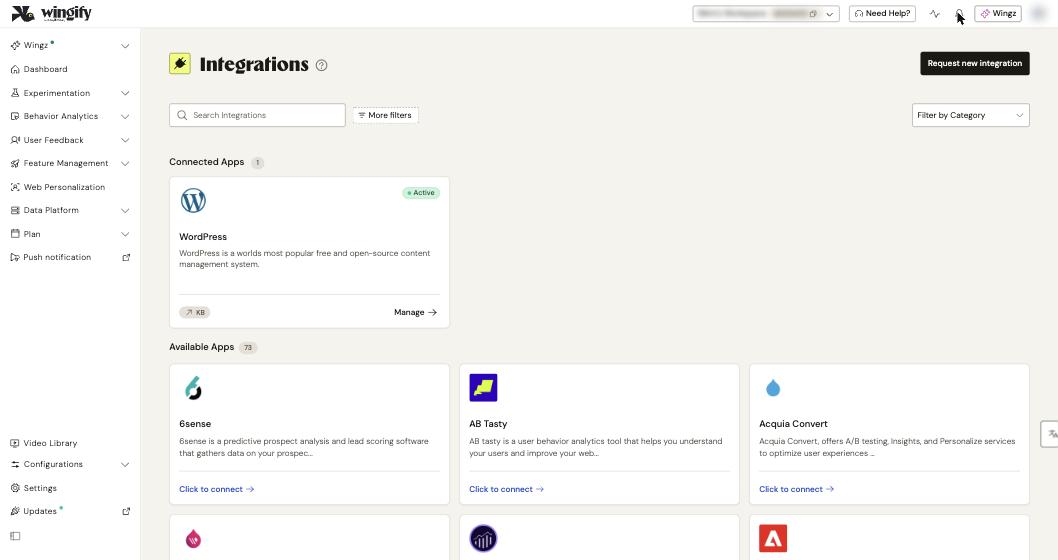
Go to Configurations > Integrations and search for the destination. Open its card and click Create Connection. Then select the export connection type and enter a Connection Name:
| Destination | Connection type | Fields to fill |
|---|---|---|
| BigQuery | Export data to BigQuery | Project ID, Dataset Location, Dataset ID, HMAC Key Access ID, HMAC Key Secret, GCS Bucket Name, Service Account (contents of the JSON file) |
| Snowflake | Export data to Snowflake | Host (ends with snowflakecomputing.com), Role, Warehouse, Database, Schema, Username, Private Key, Passphrase (optional) |
| Amazon S3 | Export data to Amazon S3 | Bucket name, Access key, Secret key |
| Google Cloud Storage | Export data to Google Cloud Storage | Bucket name |
For Amazon S3 and Google Cloud Storage, click Test Connection first. The results show the bucket paths and permissions (Create Objects, Delete Objects). Then click Create Connection. The connection appears on the Config tab under Active Connections.
Tip: Amazon Redshift works the same way, with an Export data to Redshift connection. It's available on Pro and Enterprise plans. See Integrate Wingify with Redshift.
#3. Turn on the export for each campaign
Exports run per campaign. Go to Experimentation > Web Experimentation, open the campaign and go to the Integrations step. Select the destination (for example BigQuery or Amazon S3) and click Save Now.
#4. Query the exported data
BigQuery and Snowflake get two datasets: {customer_defined_dataset} and {customer_defined_dataset}_internal (raw payloads). The main dataset has four tables:
vwo_${account_id}_visitors: one row per hit, with device, browser, location, traffic source, URL,combination_idandcampaign_id.vwo_${account_id}_metrics: conversions, withmetric_value,conversion_timeandproperties.vwo_${account_id}_attributes: visitor attributes (name,value,time).vwo_${account_id}_summary: names of campaigns, metrics and variations (entity_type,entity_id,entity_name).
Join the tables on _uuid and campaign_id. For example, you can answer "How did mobile users from organic traffic convert for Variation B?"
Amazon S3 and Google Cloud Storage get one file per campaign per day at bucketName/accountId/campaignId/yyyymmdd.csv.gz, plus meta.csv.gz with the campaign metadata.
#5. (Optional) Target campaigns with a BigQuery list
BigQuery also works the other way. Create an Import Lists from BigQuery connection with the Project ID, Service Account Key JSON and Dataset ID. On the Config tab, click + Add attributes list from BigQuery and choose a table and a single column of identifiers that are also available in the browser, such as a cookie or JavaScript variable. In the campaign's Targeting step, create a Custom Segment on that identifier with the In list operator, and pick the list. Lists sync every 24 hours. See Target the right audience.
#Check that it worked
- The destination shows Active under Connected Apps in Configurations > Integrations.
- Snowflake syncs once a day, at the time the integration was first set up (for example, 9:00 AM UTC every day). Leave some buffer before you refresh dependent views.
- In S3 or GCS, look for new
yyyymmdd.csv.gzfiles under your campaign ID. The ID column of Web Experimentation shows the campaign ID.
#Common questions
My S3 or GCS setup failed. Is any data synced? No. Data syncs only after Test Connection succeeds and you create the connection.
Why is there a vwo_raw_data dataset in BigQuery? It's the staging area where Wingify loads data before processing it into your dataset. Give the service account the same roles on it.
Can I import more than one column from BigQuery? No. A list imports a single column of identifiers, which must match a value you can read in the browser.
Do I have to turn on the export for every new campaign? Yes. The connection is set up once for the account, but you select the destination in each campaign's Integrations step.
#Learn more
- Integrate Wingify with BigQuery to Export Campaign Data
- Integrate Wingify with Snowflake
- Integrate Wingify with Amazon S3
- Integrate Wingify with Google Cloud Storage
- Wingify Campaign Data Export: Schema and Reporting Guide
- Integrate Wingify with BigQuery for Targeting Campaigns
Help-center sources (7)
- Integrate Wingify with BigQuery to Export Campaign Data
- Integrate Wingify with Snowflake
- Integrate Wingify with Amazon S3
- Integrate Wingify with Google Cloud Storage
- Wingify Campaign Data Export Schema and Reporting Guide
- Integrate Wingify with BigQuery for Targeting Campaigns
- Integrate Wingify with Redshift